Wix Website Redesign: A Practical URL and Launch Checklist

A Wix website redesign should improve how customers understand your business and take the next step. Start by keeping useful page URLs wherever possible, map each necessary URL change, and test the complete enquiry journey on the published site before calling the launch finished.
For an Ontario service business, a working homepage is only part of that check. A customer may arrive through an older service link, a bookmarked article or a Google Business Profile button. That route still needs to lead to the right information and a usable contact or booking option.
Planning a redesign? Bring your current website and the pages you are considering changing to a free 30-minute consultation. We can discuss priorities, the launch scope and where technical help would be useful.
First, decide what is actually changing
Separate visual changes from changes to page addresses and business functions. Updating typography, spacing or a mobile layout does not require renaming every URL. A shorter navigation label can still point to the existing page address.
Record whether you are refreshing the current Wix site, rebuilding in another Wix site, changing domains or moving content from another platform. A redirect that exists in one site's dashboard should be checked in the site serving the live domain after the switch.
If you are still deciding whether a rebuild is the right investment, our local SEO versus website redesign guide covers that earlier decision. This checklist starts once you have decided to redesign.
Build a URL map before removing pages
Create a spreadsheet with one row for each existing public page. Include the current URL, its purpose, the planned destination, the action required and a person responsible for checking it.
Gather addresses from the live site's navigation, its sitemap, your CMS or blog inventory and any available Search Console or analytics reports. Include pages linked from campaigns, directories, old emails and downloadable resources. A navigation menu alone will miss pages that customers can still reach elsewhere.
Prioritise service pages, enquiry pages and URLs with recorded search clicks, external links or enquiries. Keep the evidence and date beside the decision. A page's appearance or age tells you little about its business value.
The URL paths below are illustrative examples for a service business.
Existing path | Planned destination | Decision |
|---|---|---|
/commercial-cleaning | /commercial-cleaning | Keep the address and improve the page |
/office-cleaning-old | /office-cleaning | Redirect after the replacement is ready |
/post/old-guide-title | /post/workplace-cleaning-guide | Add a manual blog redirect |
/discontinued-offer | No relevant replacement | Remove it and allow a useful 404 page |
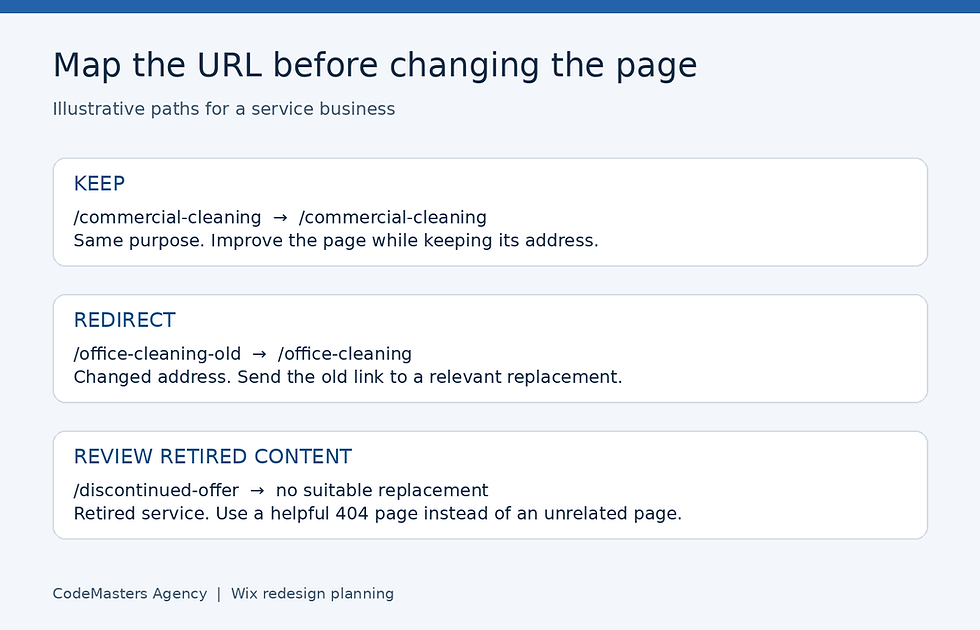
Keep useful URLs, redirect changed pages to relevant replacements and review genuinely retired content separately.
Avoid the homepage redirect shortcut
A common launch mistake is sending every removed page to the homepage. Someone looking for a specific service then has to search again, and the destination may have little connection to the old content.
Choose a replacement that answers the same need. If two pages are being merged, make sure the surviving page actually covers both subjects before redirecting. If a service is genuinely gone and no suitable replacement exists, a clear missing-page response is more useful than an unrelated destination. Google's site move guidance explains this distinction.
Review each row by asking: would a person following the old link understand why they arrived here? That simple question catches many weak mappings.
Set up and check redirects in Wix
Wix's URL Redirect Manager handles permanent 301 redirects on a connected custom domain. Use the live custom domain for your final checks.
According to Wix's current 301 redirect instructions, the manual process is:
Open SEO & GEO in the site's dashboard.
Under Tools and settings, open URL Redirect Manager.
Select + New Redirect, then Single redirect.
Enter the previous path in Old URL.
For a destination within the site, start typing the new page's URL slug and select the correct page. For an external destination, enter its complete URL.
Save the redirect. Allow a few minutes for it to take effect, then test the old address.
When you change an ordinary editor page's slug, Wix can create an automatic redirect. Check the resulting entry after publishing. Wix Blog is an important exception: a changed blog slug needs a manual redirect. Put blog changes on the mapping sheet so they receive their own check.
Test the route, then update your own links
Paste the exact old address into a fresh browser tab. Confirm the final address and the page content. For a technical check, inspect the request in your browser's Network panel to confirm a permanent redirect and a successful destination response.
A redirect chain sends visitors through several old addresses before reaching the current page. Where you control the mappings, point old addresses directly to the final relevant destination. Check existing entries before adding a new rule. Wix's redirect testing guide also explains how conflicting rules can create a loop.
Update navigation links, body links, footer buttons and linked images to use the final addresses. Redirects remain valuable for external links and bookmarks, while your own site should send customers straight to the intended page.
Review the destination page, not just its address
A successful redirect can still land on a weaker page. Compare the old and new versions side by side before approval.
Check that the redesigned page clearly names the service, explains who it helps, preserves useful project evidence and offers an appropriate next step. For a Hamilton business, keep accurate service-area information where it helps the reader assess availability.
Avoid replacing a specific service heading with a vague slogan. You can improve the presentation while retaining the information customers came to find. Review page titles and descriptions alongside the visible copy so they describe the finished page accurately.
For important search pages, confirm that indexing is enabled and that the canonical address represents the intended live page. A canonical tells search engines which URL is preferred when similar versions exist. Ask whoever manages SEO to review unexpected values rather than copying settings from a temporary build.
CodeMasters' website design services include redesigns that preserve valuable pages and URLs. Its SEO services cover the related technical and on-page checks.
Test an enquiry from an old link on a phone
Make this a launch acceptance test: open an old service URL on a phone, reach its intended destination, use the main action and complete a clearly labelled test enquiry.
Check the result at both ends. The visitor should see a useful confirmation. The business should receive the submission in the expected destination, and the responsible person should receive the intended notification. Remove test records when they are no longer needed.
A redesign can preserve a form's appearance while changing the page around it, its destination or its notification setup. Clicking a button in an editor preview will not prove that the published journey works.

Verify the old link, destination page, enquiry confirmation and business receipt as one connected journey.
Check | Evidence to record |
|---|---|
Old service link | Correct final URL and relevant content |
Mobile page | Readable text and reachable primary action |
Form or booking action | Working fields, validation and confirmation |
Business receipt | Test record and expected notification received |
Measurement | Intended event recorded once in the configured system |
If you track enquiry events, distinguish a button click from a completed submission. A click can show interest even when the form later fails. Check the event you actually use for reporting and make sure duplicate tracking has not been introduced during the rebuild.
Keep this test focused on the features you already need. A redesign alone is no reason to commission a custom form. Our Wix Forms versus Velo forms comparison explains where native forms are sufficient and when custom business logic warrants development.
Give the launch an owner and a follow-up plan
Before publishing, assign responsibility for the URL map, content approval, enquiry testing and post-launch monitoring. Keep a dated record of the previous URLs and settings so a problem can be traced to a specific change.
Immediately after launch, recheck the priority routes on the actual domain. Work through the remaining URL map and record failures rather than relying on a spot-check of the homepage. Repeat the enquiry test after any fix affecting the form, booking flow or destination page.
Over the following weeks, review Search Console pages and queries alongside your enquiry records. Compare the same URLs and sensible date ranges. Search visibility can fluctuate after URL changes, so separate a confirmed broken route from a performance change that still needs investigation.
If a page loses visibility, begin with its old-to-new mapping, published content, indexing settings and internal links. If visits remain steady but enquiries fall, test the conversion journey and measurement before assuming demand has changed.
Keep redirects in place for people using old links. Google's migration guidance recommends retaining them for at least a year. For useful customer bookmarks and external links, keeping them longer can continue to help visitors.
FAQs
Do I need to change my URLs when redesigning a Wix website?
Keep existing addresses when the page serves the same purpose. Change a URL when there is a clear structural or content reason, then map and test the transition. A new visual design can use the same addresses.
Does Wix create every redirect for me?
Wix supports automatic redirects for several page types, including ordinary editor pages. Blog slug changes need manual redirects. Check the live result for every changed address in your map, including entries you expect Wix to create.
Can I test redirects on a free Wix address?
Wix's 301 redirect feature requires a custom domain. You can review layout and content during preparation, then test redirects on the connected domain once the relevant changes are live.
What should I ask a redesign agency to hand over?
Ask for the URL map, a record of important SEO settings, completed mobile enquiry checks and a list of outstanding issues with named owners. Agree on who will monitor the launch and how a confirmed problem will be reported and corrected.
Plan the redesign around working customer journeys
A useful launch checklist protects the path from an existing link to a relevant page and a completed enquiry. Design approval, redirect approval and business receipt all deserve an explicit check.
For help defining that scope, book a free 30-minute consultation. Bring your current site, proposed page changes and any known enquiry problems. We can discuss what to retain, what to rebuild and which checks belong in the project. You can also send the details through our contact page.


